
Space Hop: a parents’ guide
A free solar system game for kids aged 3–7, played in the web browser. Here is what your child will find, and how to enjoy it together.
What your child plays
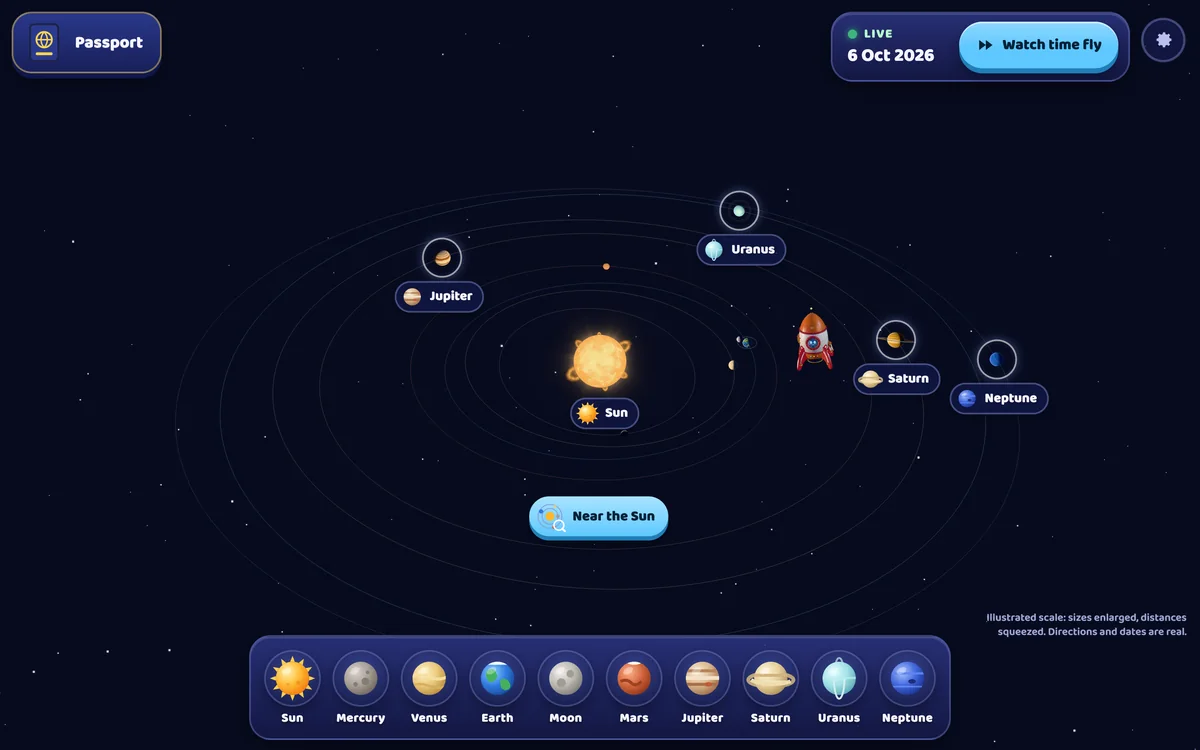
A cheerful little rocket hops between ten places in space: the Sun, Mercury, Venus, Earth, the Moon, Mars, Jupiter, Saturn, Uranus and Neptune. The big map shows the planets where they really are in the sky today, and Watch time fly sends them racing round the Sun.
Every stop has something hands-on to do. Children can:
- bounce across the Moon, drive the rover and sort Moon rocks;
- help a satellite take pictures of Earth and spin a teaching globe from day to night;
- give a Mars rover its six wheels and fly the little helicopter;
- line up 109 Earths across the Sun and spot sunspots on the station’s viewing screen;
- sort a sample of Saturn’s icy rings, find Jupiter’s four big moons and fly a probe into Neptune’s winds.
Each world also has a thermometer. Its scale is the same everywhere, with a little Earth marking home, so children can see at a glance which worlds are hotter or colder than ours. Each world visited adds a stamp to the Space Passport, and discoveries add stickers.
What children learn
Short spoken facts explain what children see, with captions on screen: the Sun is a star, the Moon reflects sunlight, Mars is red because its dirt is rusty, and Uranus rolls round the Sun on its side. Along the way they meet the order of the planets, day and night, the Moon’s phases, big and small, hot and cold. Every spoken fact comes from NASA.
The planets’ directions and dates are real. They are calculated on your device with the open-source astronomy-engine library and checked against NASA/JPL Horizons. To fit everything on one screen, sizes are enlarged and distances squeezed; the grown-ups menu explains how.
Made for ages 3–7
Everything works by tapping and watching, so no reading is needed. Optional picture-card missions, such as “Find the hottest planet and the coldest planet”, give children aged 4–7 a little goal. There are no timers and no scores, and nothing to lose. For younger children, Tiny Fingers (from 18 months) and Under the Sea (ages 2–5) are gentler first games.
Playing together
- Let your child pick the next world, and say its name together.
- Ask “Is it hotter or colder than Earth?” and check the thermometer.
- Visit the Moon in the game, then look for the real one in the sky tonight.
- Talk about why we never look straight at the Sun, just as the game says.
Devices and the home screen
Space Hop runs in a modern web browser on a computer or tablet and needs 3D graphics (WebGL), which current browsers have. On a keyboard, the number keys 1 to 9 and 0 fly straight to each world. After the first visit it keeps working offline.
To open it like an app: on an iPad, tap Share and then Add to Home Screen; on Android, open the browser menu and choose Add to Home screen or Install; in Chrome or Edge on a computer, use the install button in the address bar.
The grown-ups settings sit behind a press-and-hold button: music, sound effects and voice levels, reduced motion, notes on the science, and a way to clear the passport.
Questions parents ask
Is Space Hop free?
Yes. It plays free in the browser, with no account or sign-up.
Are the planets really where the game shows them?
Yes, for the date shown, from 1900 to 2100. Their directions from the Sun are true; only sizes and distances are changed so that everything fits.
Does my child need to read?
No. Spoken words and pictures guide the play; captions help grown-ups and early readers follow along.
More from JenisStore
See the Tiny Fingers guide and the Under the Sea guide, or go back to all our free games for little ones. Ideas and kind words are always welcome at info@jenisstore.com.